
Appearance
Your Account & Learning History
A free LecturePanda account collects every course you've taken — across every organization — in one place, with your certificates and receipts attached.
What an account gives you
Taking a course never requires an account. But if you take courses regularly, or from more than one organization, an account is worth the two minutes it takes to set up.
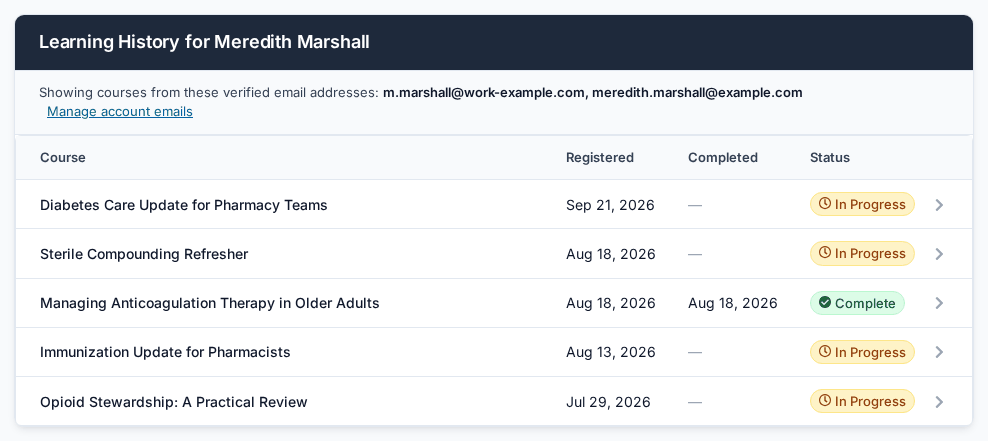
Learning History lists every course you've registered for, when you registered, when you completed it, and whether it's finished or still in progress.
Open any course in that list and you get:
- a button straight back into the course, so you never need the email link again
- the certificate for each credit you earned
- a downloadable receipt, if you paid for it
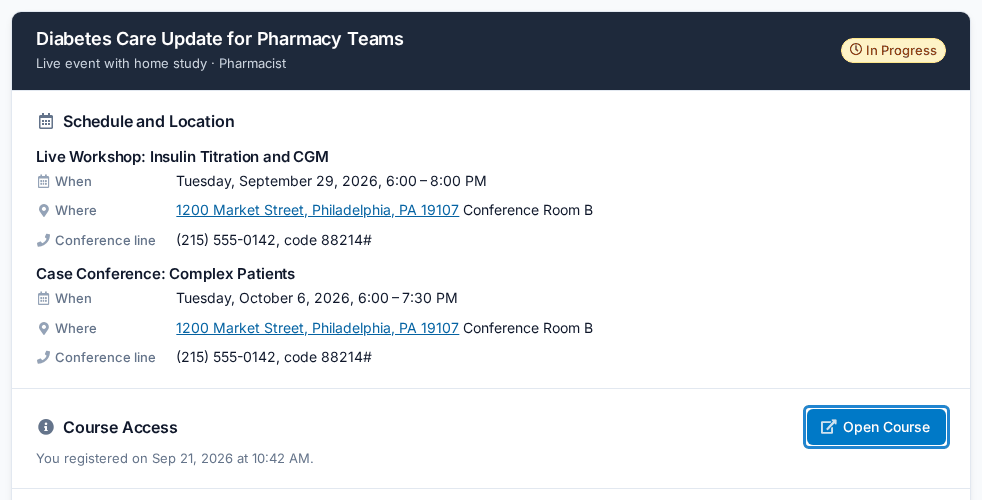
- the course details — the dates, the location and the conference line for each live session. On a course with several live parts, each session is listed under its part's name.
The webinar join link is not listed there. Use Open Course and you'll find Join The Webinar on your course page.
A course with several parts appears once in your history, not once per part.
It spans organizations. Courses from your state association, your employer and a university all land in the same list, as long as you registered with an email address on your account.
Creating an account
The easiest moment is while you're registering for a course. The registration form has a checkbox — "Create an account so I can log in later to access my certificates and learning history" — and ticking it sets the account up with the address you're already typing. Your email address is verified for you. The one thing left to do is choose a password:
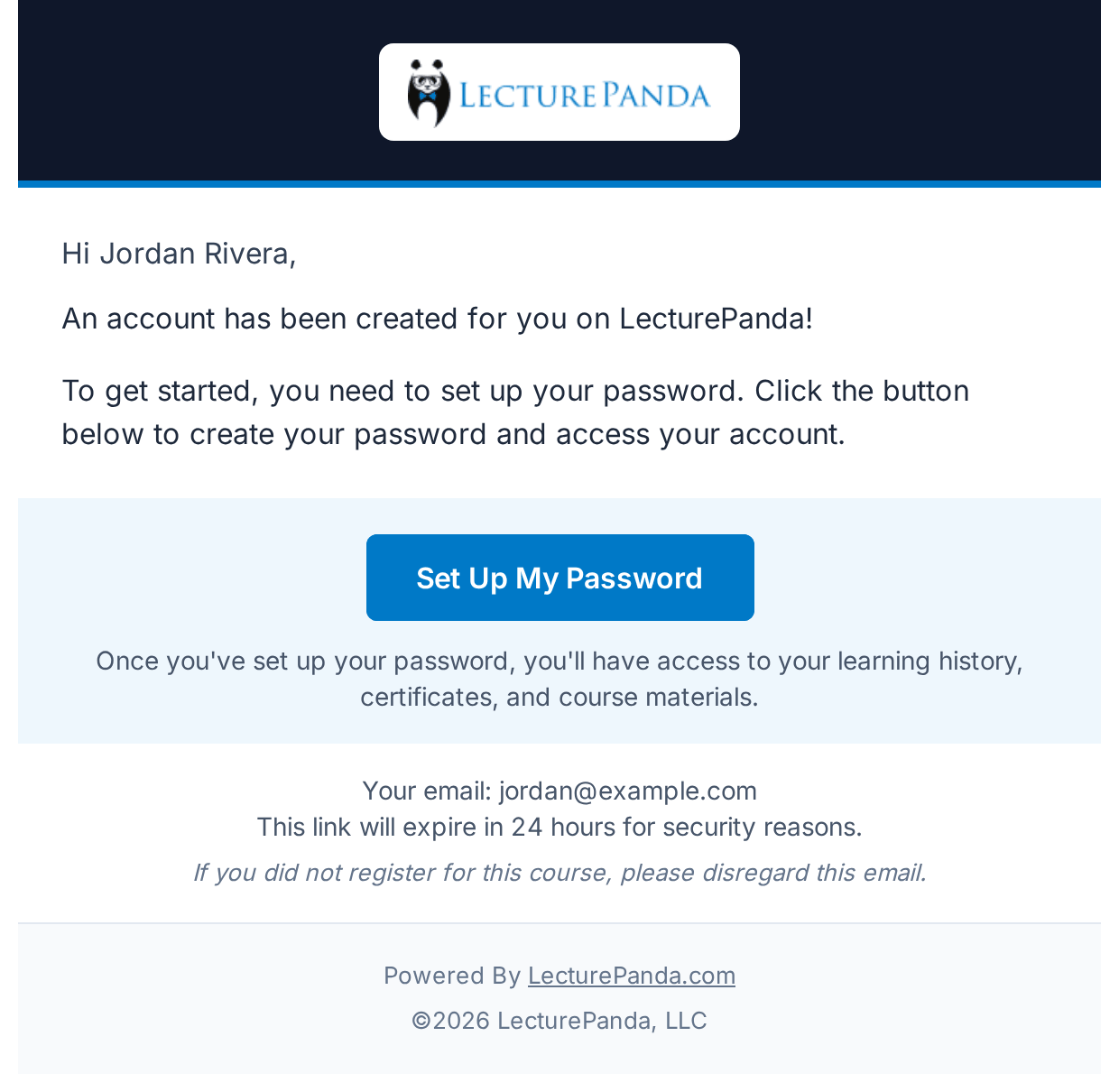
- Look for a second email, with the subject Set Up Your LecturePanda Account Password.
- Click Set Up My Password and choose your password. The link works for 24 hours.
Your confirmation email also carries an Account Created! note to remind you. If that address already has an account, no new one is made and no password email arrives, even though the confirmation email still shows the note — just sign in as usual.
If the 24 hours have passed
Signing in will fail with "Account requires password setup. Please check your email for setup instructions." Go to the sign-in page, click Click to reset your password next to "Forgot your password?", and enter your email address. The reset email lets you choose a password and you're in.
If you've already registered, or you'd rather do it separately:
- Go to lecturepanda.com and choose Sign In.
- Choose the option to create an account.
- Use the same email address you register for courses with. This is the part that matters — your existing registrations link themselves to the account automatically once that address is verified.
- Check your inbox for the verification email and click the link inside.
That last step is the one people skip, and skipping it is why a history comes back empty.
My history is empty
If you've signed in but see no courses, your email address hasn't been verified yet. (This applies when you created the account yourself at lecturepanda.com. An account made with the checkbox on a registration form is verified already — there, the usual snag is that the password was never set up. See Creating an account.)
The giveaway is that your course link still works perfectly while the history page shows nothing. That's expected: taking a course doesn't depend on the account at all, so one can work while the other is waiting.
Find the verification email from LecturePanda — check spam and junk — and click the link. Your history fills in on its own. If you can't find the email, click your name in the top-right corner, choose Account Emails, and click Resend verification next to the address. The link in either email works.
Some of my courses are missing
Learning History shows courses tied to a verified email address on your account. Courses you registered for under a different address won't appear until you add that address too.
To add one:
- Sign in and click your name in the top right corner.
- Choose Account Emails.
- Add the other address and verify it from your inbox.
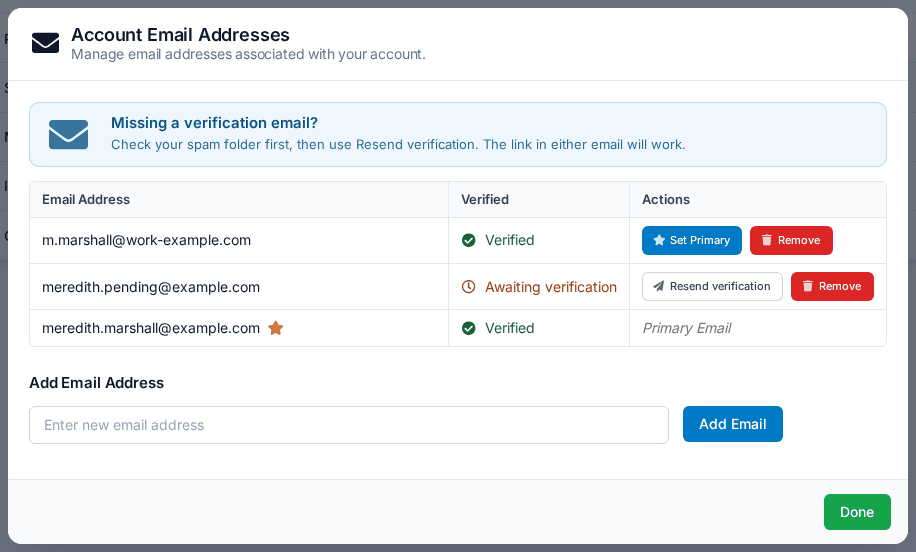
Those courses then appear alongside the rest. You can hold several addresses on one account — a work address and a personal one is the common case — and mark one as primary.
Check the header
Your Learning History page lists the verified addresses it's drawing from, right under the heading. If an address you expected isn't in that list, that's your answer.
Getting back into a course from your account
Open the course from your Learning History and use the Open Course button. It takes you to the same place your email link would, at the same point in your progress.
This is the reason an account is worth having: it turns "find the email from four months ago" into "sign in."
Related
- Getting Into Your Course — the email-link route, and how to get a new link
- Getting Your Certificate — retrieving a certificate through your history
- Receipts & Payments — downloading a receipt